



Open MijoShop
COMPONENTS>>MIJOSHOP
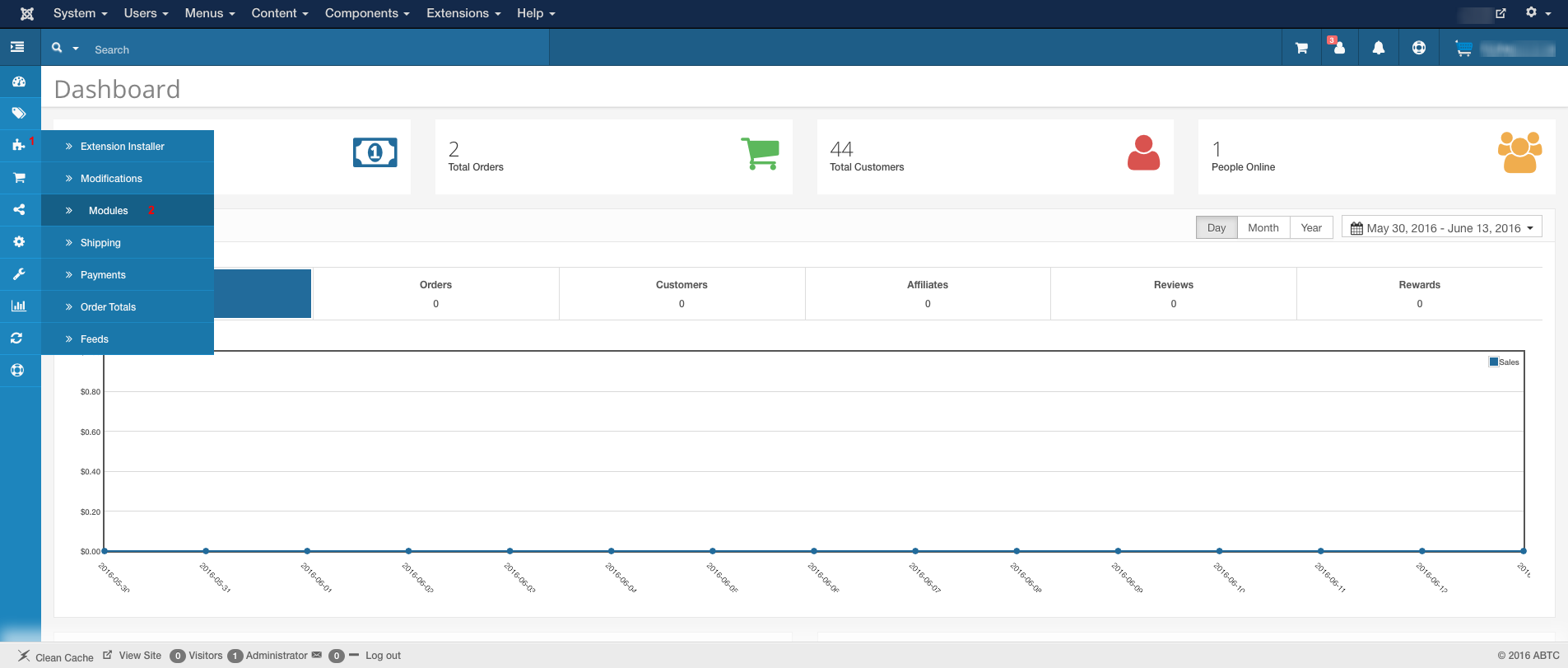
Go to CATEGORIES (the puzzle piece icon)>>>>>> then MODULES
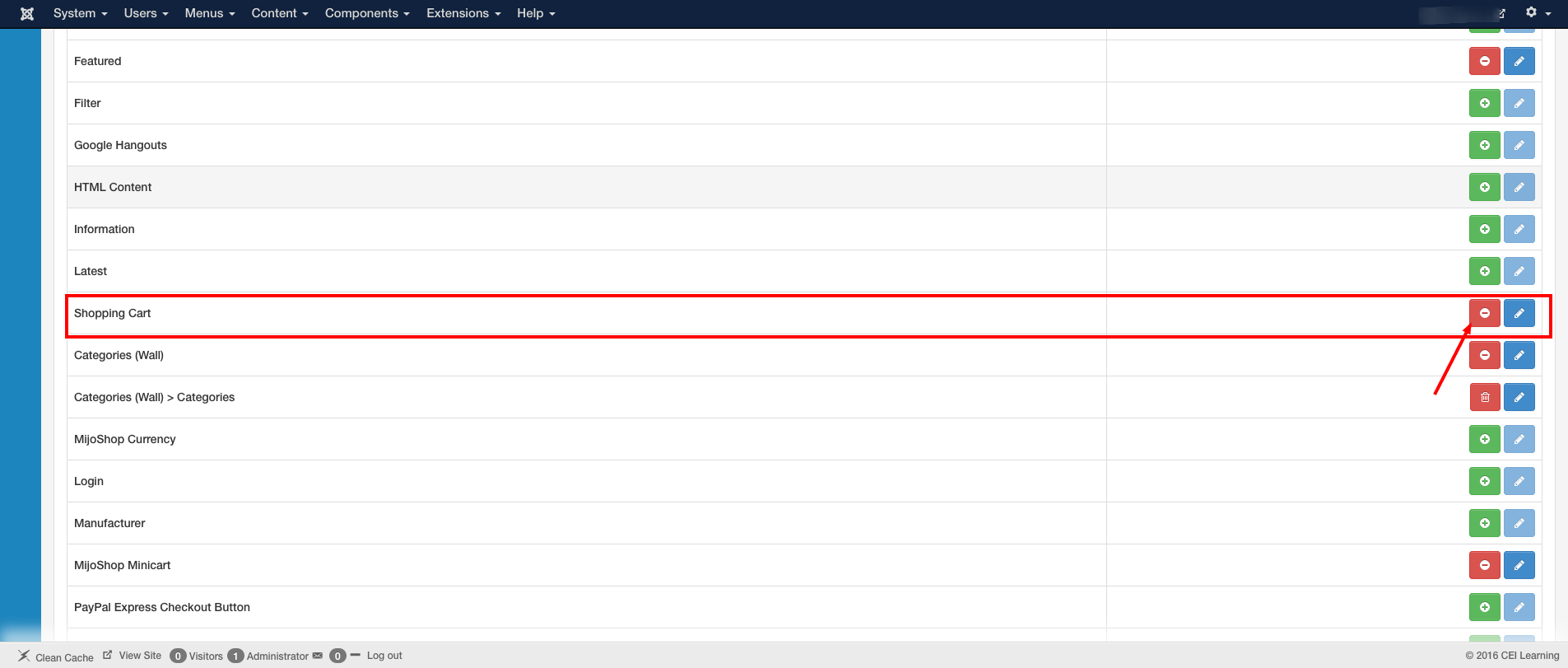
Find “Shopping Cart” and enable
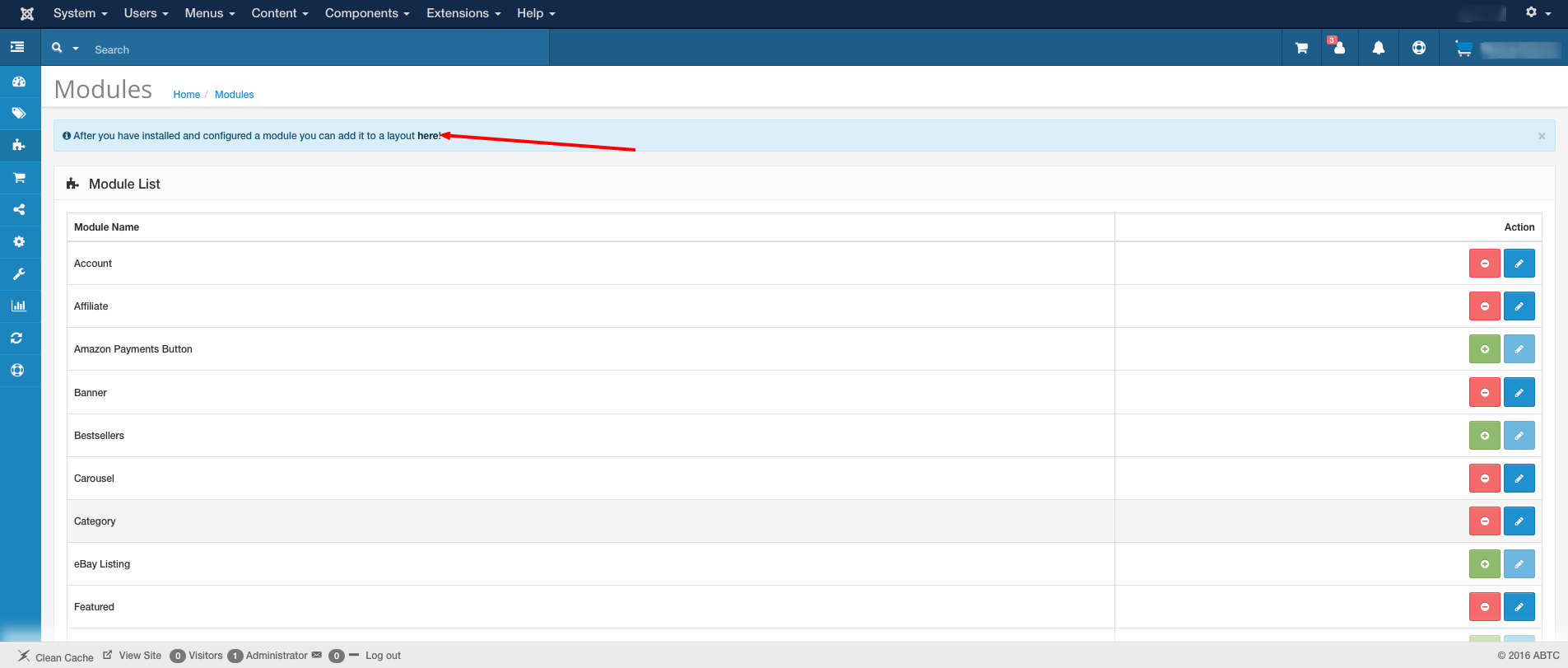
Now edit the layout
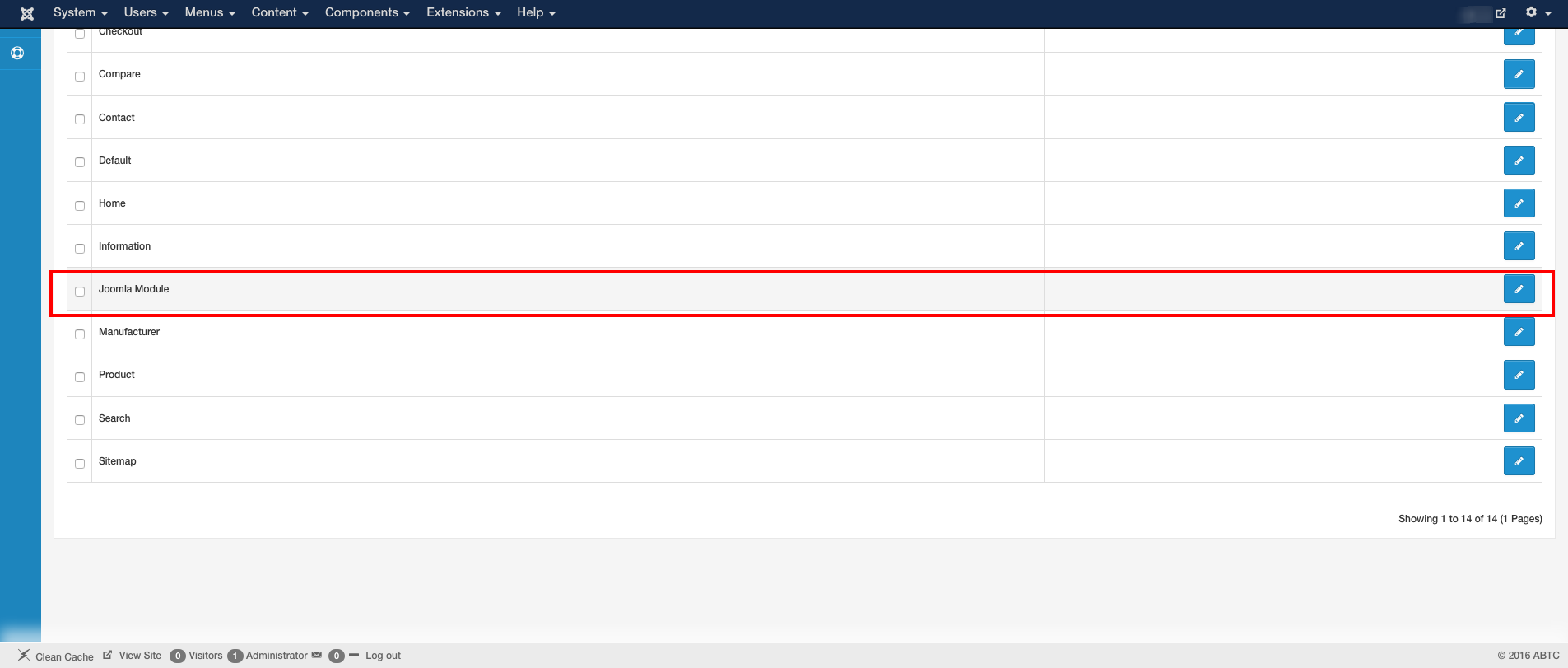
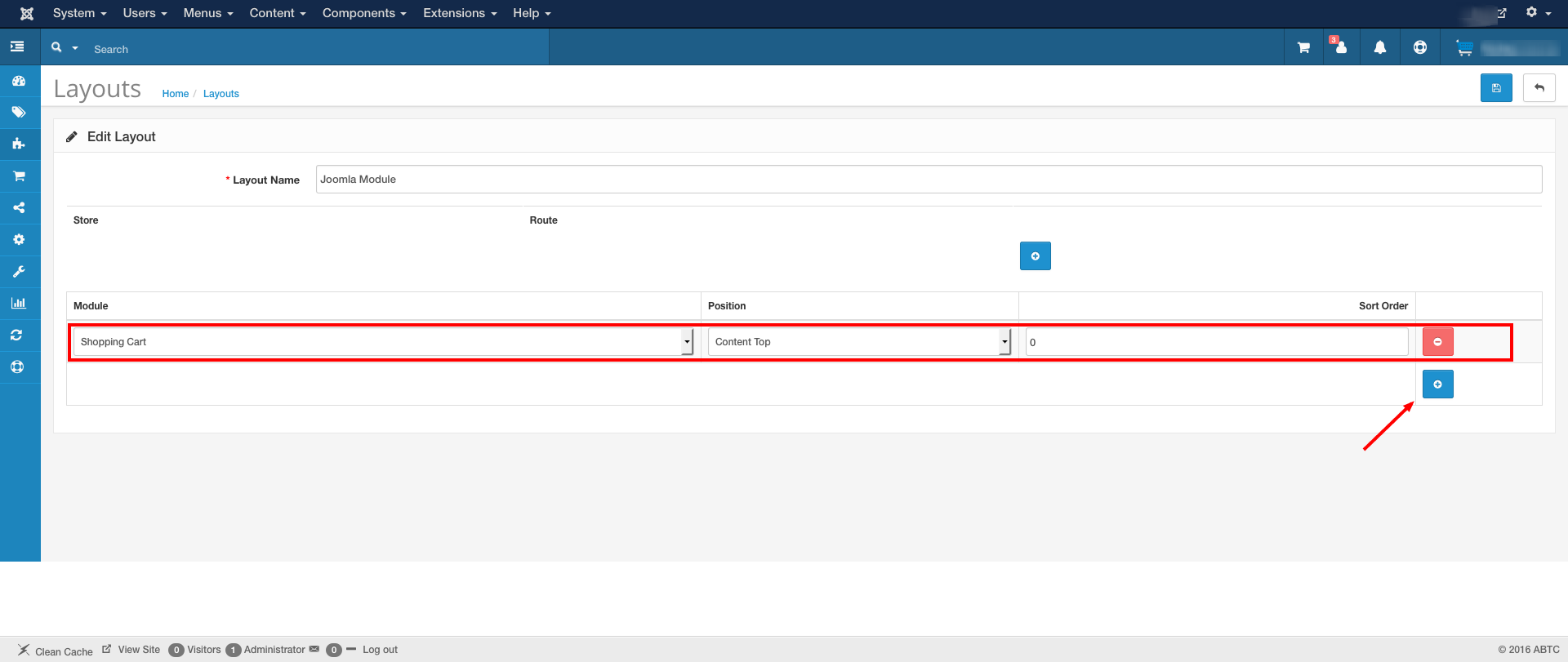
Select the Joomla Module option
If your shopping cart is not showing up select the plus button to add.


Open MijoShop
COMPONENTS>>MIJOSHOP
Go to CATEGORIES (the puzzle piece icon)>>>>>> then MODULES
Find “Shopping Cart” and enable
Now edit the layout
Select the Joomla Module option
If your shopping cart is not showing up select the plus button to add.